
The Fastest Way to Send Your Voice to Microsoft Teams
Need to share a quick thought without getting pulled into a dozen unread channels? Epiphany is your "fire and forget" button for Teams. Instantly capture your Microsoft Teams voice notes and send to Teams directly to the right conversation, keeping you focused and your Teams workflow streamlined.
Try It FreeFrom Voice to Teams in 2 Taps
1. Speak Your Update
Open Epiphany and start talking. Record your idea, bug report, or daily stand-up notes. No need to navigate Teams first.
2. It Appears in Teams
Tap your pre-configured Teams Action, and your transcribed message and audio link instantly appear in the right conversation.
Capture from Anywhere with the Share Sheet
Save Photos & Screenshots

Found a bug on screen or snapped a design idea? Share it directly to Epiphany, add your voice for context, and send it straight to the right Teams channel.
Save Links & Articles
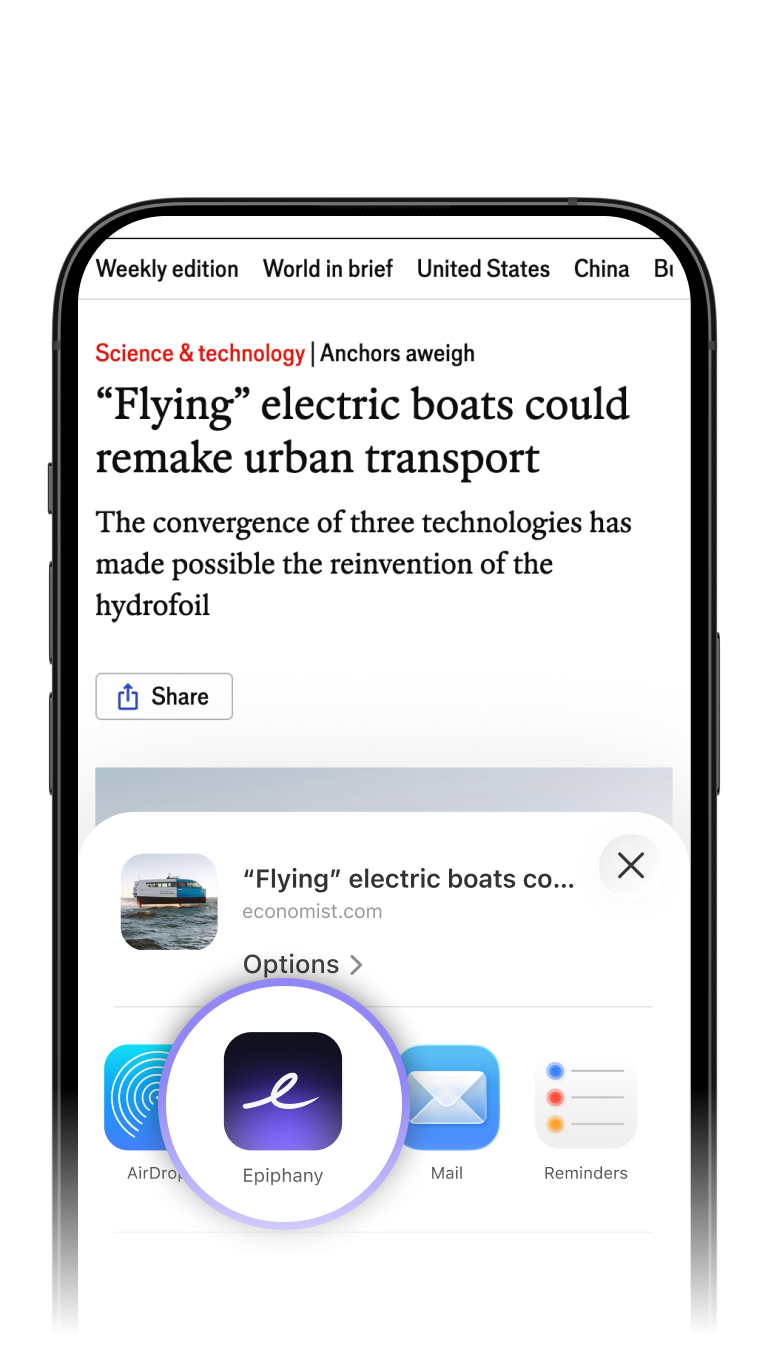
Found an article or resource your team needs? Share it from your browser, speak your key takeaways, and route it to any Teams conversation instantly.
Frequently Asked Questions
Ready to Streamline Your Team Communication?
Connect your Microsoft 365 account in seconds and start sending focused, asynchronous updates.
Get Started Free